Introduction
Every crosswalk conversation starts with the same grim number. NHTSA's finalized data show 7,080 pedestrians were killed and more than 71,000 injured on U.S. roads in 2024 — roughly one death every 74 minutes, per the agency's pedestrian safety data.
Pedestrian control features exist to close that gap. Signal heads, pushbuttons, and accessible signals give pedestrians clear right-of-way information at intersections where vehicles and foot traffic compete for the same space.
The problem: keeping up with MUTCD Chapter 4I/4K requirements, ADA/PROWAG rules, and a constantly shifting equipment landscape isn't simple. Many agencies and contractors find themselves unsure which standard applies to a given retrofit.
This guide breaks down pedestrian signal heads, timing and phasing, detection, and accessible signals, plus how to pick compliant equipment without guesswork.
Key Takeaways
- Pedestrian features fall under MUTCD Chapter 4I/4K, with strict design and timing rules
- A full pedestrian phase has three parts: walk, pedestrian change, and buffer intervals
- APS installation requires an engineering study, not a blanket mandate
- A factory-certified distributor helps agencies install compliant equipment correctly the first time
What Are Pedestrian Control Features?
Pedestrian control features is the umbrella term MUTCD uses for the devices that manage pedestrian right-of-way at signalized intersections. Under the current 11th Edition, this includes:
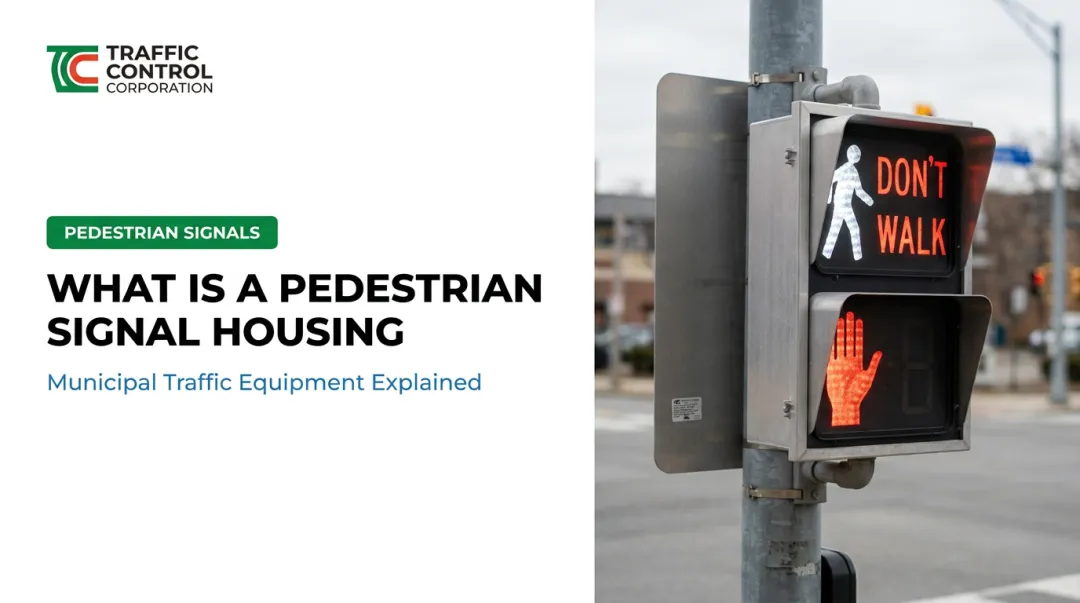
- Pedestrian signal heads: the WALKING PERSON/UPRAISED HAND displays
- Detectors: pushbuttons and passive detection devices
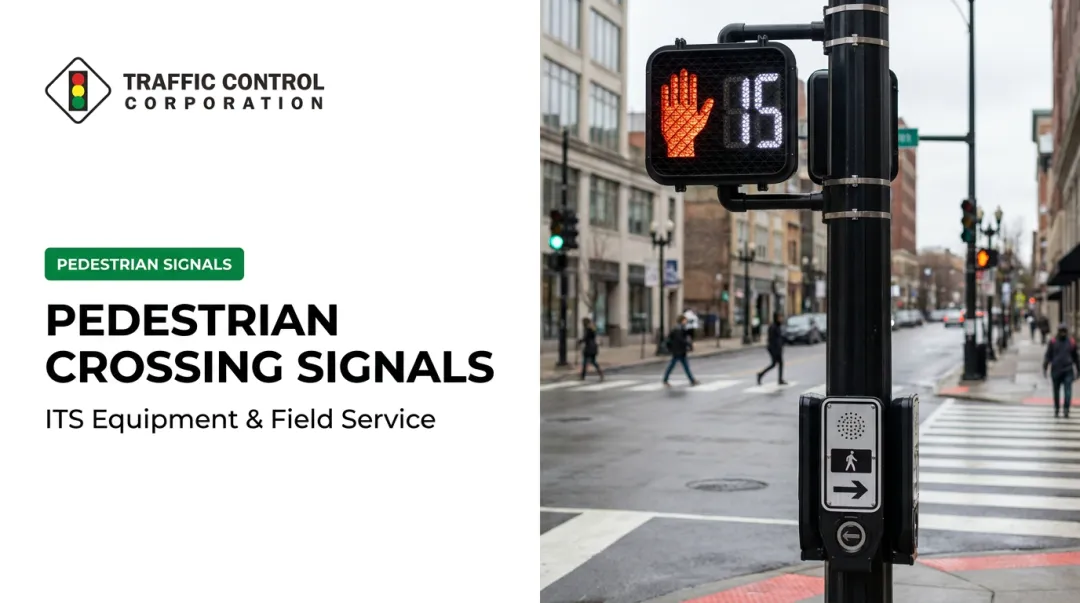
- Countdown displays: numeric timers showing remaining crossing time
- Accessible Pedestrian Signals (APS): audible and tactile crossing information
Their regulatory job is straightforward: reduce vehicle-pedestrian conflicts by giving pedestrians unambiguous, standardized instructions separate from vehicular signal indications.
When Are Dedicated Signal Heads Required?
Not every signalized crosswalk automatically gets its own pedestrian head. MUTCD ties the decision to specific warrants and operational conditions:
- Pedestrian Volume Warrant (Warrant 4). This applies when pedestrian and vehicle volumes cross a defined threshold curve during four hours, or a higher curve during one hour.
- School Crossing Warrant (Warrant 5). This applies when fewer adequate gaps exist than minutes in the crossing period, with at least 20 schoolchildren crossing in the peak hour.
- Exclusive pedestrian phasing or complex multiphase operations. Once a phase stops all conflicting vehicle movements for pedestrians, signal heads become mandatory.
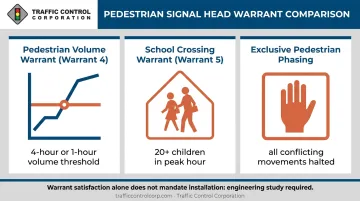
One important caveat: satisfying a warrant doesn't require installation by itself. MUTCD explicitly states warrant satisfaction alone shall not mandate a signal; the decision rests on engineering judgment and a documented study.
Pedestrian Signal Heads: Design, Meaning & Standards
Pedestrian signal heads communicate through three standardized indications, and getting the details right isn't optional.
- Steady WALKING PERSON (white): pedestrians may begin crossing
- Flashing UPRAISED HAND (Portland orange): don't start crossing; those already in the roadway should finish
- Steady UPRAISED HAND (Portland orange): don't enter the roadway
Sizing and illumination rules are just as specific. Symbols must be at least 6 inches high for crossings viewed within 100 feet, stepping up to 9 inches beyond that distance. Each head requires independent illumination, single-color emission, and a flash rate of 50 to 60 times per minute for the UPRAISED HAND.
Mounting Height & Placement
MUTCD requires the bottom of the housing (including brackets) to sit 7 to 10 feet above sidewalk level, positioned for maximum visibility from the start of the crosswalk. Where pedestrian and vehicular heads share a pole, physical separation is required so drivers and pedestrians aren't reading the wrong signal.
Countdown Pedestrian Signals
Countdown displays are mandatory whenever the pedestrian change interval exceeds 7 seconds. Key specs:
- Portland orange numbers on a black background
- Activates only during the flashing hand phase, never during WALK or the buffer
- Displays remaining change-interval seconds, not total crossing time
Some agencies also deploy an optional animated eyes feature during the walk interval, prompting pedestrians to glance for turning vehicles before stepping off the curb.
Older intersections may still show lettered WALK/DON'T WALK signage. MUTCD's 2003 edition set a symbol-conversion deadline, but legacy heads can legally remain in service until they reach end of life; agencies aren't forced to rip out functioning equipment early.
Pedestrian Signal Timing & Phasing
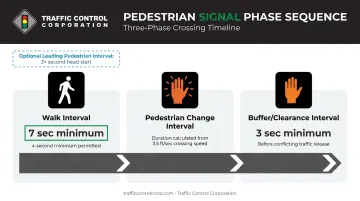
What is the pedestrian signal phase? It's three sequential intervals working together to move pedestrians safely through a crossing:
- Walk interval: steady WALKING PERSON, pedestrians may enter the crosswalk
- Pedestrian change interval: flashing UPRAISED HAND, warns pedestrians already crossing to finish
- Buffer (clearance) interval: steady UPRAISED HAND, held for at least 3 seconds before conflicting traffic gets released
Walk Interval and Clearance Calculations
The walk interval should run at least 7 seconds, though MUTCD permits as short as 4 seconds where pedestrian volumes and user characteristics don't require the longer window.
Clearance time calculations use a standard walking speed of 3.5 feet per second from the curb to the far side of the traveled way, or to a median wide enough to wait safely. Where slower pedestrians or wheelchair users regularly use a crossing, engineers should apply a slower speed. Extended pushbutton presses or passive detection can dynamically stretch crossing time for those users.
Leading Pedestrian Intervals (LPI)
An LPI gives pedestrians a head start of 3 seconds or more before conflicting vehicle turns get a green light. FHWA reports a 13% reduction in pedestrian-vehicle crashes tied to LPI deployment across 105 signalized sites in Chicago, New York City, and Charlotte. Some site-specific studies show reductions as high as 60%, though that figure shouldn't be treated as a universal forecast.
Wide streets and medians often need a two-stage crossing sequence, with median-mounted signals treating each half of the crossing as its own phase, complete with separate countdown timing and detection.
Pedestrian Detectors, Pushbuttons & Accessible Signals
Pedestrian demand gets registered one of two ways: manual pushbutton actuation or passive detection.
- Pushbuttons require a pedestrian to physically press a button to register a crossing request
- Passive detection uses sensors to automatically register presence and can track a pedestrian's progress mid-crossing, extending clearance time for slower users without any manual input
Pushbutton Placement Standards
MUTCD placement rules are precise, and getting them wrong is a common source of ADA findings:
| Requirement | MUTCD Standard |
|---|---|
| Mounting height | 3.5 to 4 feet above sidewalk/landing |
| Distance from curb | 1.5 to 6 feet |
| Distance from crosswalk line | Within 5 feet |
| Orientation | Parallel to the associated crosswalk |
| Separation (two buttons, one pole) | At least 10 feet apart |
| Signage | R10-3-series sign required adjacent to button |
Accessible Pedestrian Signals (APS)
APS units translate crossing information into non-visual formats for pedestrians with vision disabilities:
- Audible tones signaling the WALK interval
- Vibrotactile arrows aligned with the direction of travel
- Speech walk messages where button spacing creates ambiguity
When is APS required? There's no blanket mandate. MUTCD ties installation to an engineering study weighing traffic volume, signal phasing complexity, intersection geometry, and documented requests from pedestrians who need the accommodation.
One placement wrinkle worth flagging: MUTCD allows 1.5 to 6 feet from the curb, while the 2023 PROWAG standard (adopted into enforceable DOT rules effective January 17, 2025) extends that range to 1.5 to 10 feet with added reach-range and clear-space requirements. A compliant layout has to satisfy both documents simultaneously, not just pick one.
Locator tones repeat roughly once per second and stay under 0.15 seconds each. When two pushbuttons sit on the same pole with less than 10 feet of separation, MUTCD calls for speech messages instead of standard percussive tones, since ambiguous audio can send a pedestrian into the wrong crossing.
Extended pushbutton presses of a second or longer can also trigger louder audible beaconing or added crossing time, small features that make a real accessibility difference.
Choosing the Right Pedestrian Signal Equipment & Partner
Specifying MUTCD/ADA-compliant equipment matters because the alternative is expensive. Non-compliant pushbutton placement, missing countdown displays, or mismatched APS hardware often surface during an ADA audit, and retrofitting after construction costs far more than getting it right the first time.
What to verify before purchase:
- Signal head sizing matches actual crossing distance (6-inch vs. 9-inch symbols)
- Countdown timers are included wherever the change interval exceeds 7 seconds
- Pushbutton placement satisfies both MUTCD and PROWAG dimensional ranges
- APS units offer speech messaging where pole spacing requires it
Meeting every item on that checklist depends on sourcing equipment from a distributor who stocks compliant options across each category, not just one or two.
TCC has represented traffic signal manufacturers across the Midwest since 1946, now covering 40+ manufacturers including PedSafety for accessible pedestrian signal equipment and EDI/Reno A&E for detection and signal monitoring hardware. That range matters when an agency needs pedestrian heads, pushbuttons, and APS units that all need to work together on the same pole.

Beyond distribution, TCC's factory-trained field staff support agencies across our eleven-state Midwest territory with:
- Product selection assistance: matching equipment to specific intersection geometry and existing cabinet types
- Onsite troubleshooting: diagnosing detection calls, wiring issues, and phasing conflicts in the field
- Technical training: from introductory signal courses to equipment-specific instruction for agency technicians
If your team is planning a pedestrian signal upgrade or APS retrofit, our contact page is the fastest way to reach a regional office.
Frequently Asked Questions
What is the pedestrian signal phase?
A full pedestrian signal phase consists of three intervals: the walk interval (WALKING PERSON), the pedestrian change interval (flashing hand), and the buffer/clearance interval (steady hand held before conflicting traffic is released).
What is the pedestrian head traffic signal?
A pedestrian signal head is the dedicated device showing the WALKING PERSON and UPRAISED HAND indications. It gives pedestrians crossing instructions that are separate from, and don't necessarily match, the vehicular signal at the same intersection.
What is the minimum walk interval required by the MUTCD?
The standard minimum is 7 seconds. MUTCD allows a shorter 4-second interval where pedestrian volumes and user characteristics don't require the longer walk time.
When are Accessible Pedestrian Signals (APS) required at an intersection?
APS installation depends on an engineering study evaluating traffic volume, signal phasing complexity, intersection geometry, and documented pedestrian requests. There's no universal mandate requiring APS at every signal.
How far can a pedestrian pushbutton be from the curb ramp?
MUTCD allows 1.5 to 6 feet from the curb edge, while PROWAG extends this to 1.5 to 10 feet with additional reach-range criteria. The button must also sit within about 5 feet of the crosswalk line.
What is the difference between a pedestrian pushbutton and a passive detection device?
A pushbutton requires manual actuation — a pedestrian has to physically press it to register a crossing request. Passive detection uses sensors to automatically register presence and can extend crossing time by tracking a pedestrian's progress mid-crossing.